 Transitour

How to Set Up Your Transitour Account: Configuration Guide
Before you start managing daily transport operations in Transitour, it is worth taking a few minutes to configure the main areas of your account. In this Transitour Guide, we walk through the key setup options step by step.
Watch the video: How to Set Up Your Transitour Account
Start with your pricing plans
Pricing Plans allow you to configure the rate structures your company uses when preparing transport services. From this section, you can review existing plans and create new ones with the appropriate pricing model, currency, tax settings and validity.
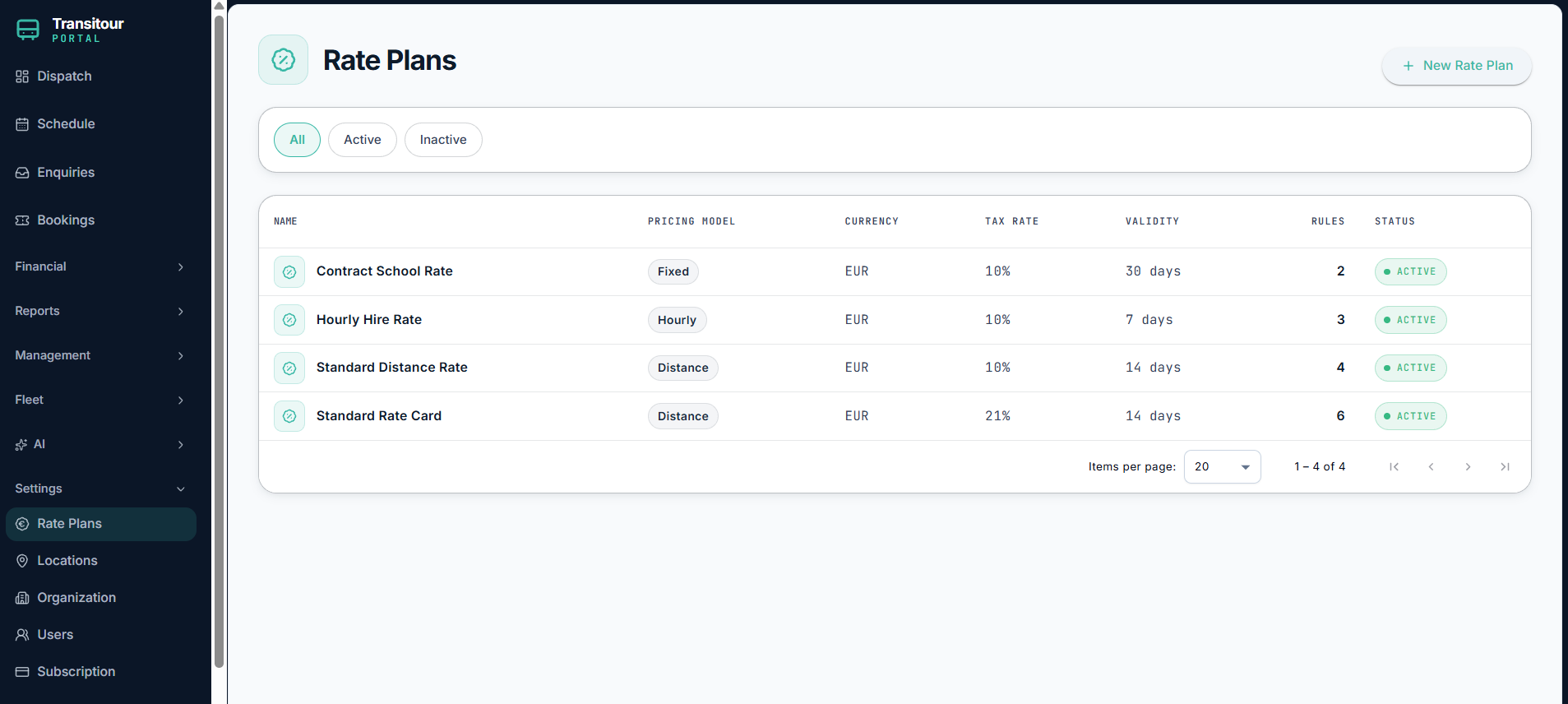
Configure and manage different pricing plans from Transitour.
Save the locations you use regularly
Transitour also lets you save frequently used locations such as depots, stations, airports, pickup points and regular destinations.
Keeping these locations in the system means your team does not need to enter the same information every time a new trip is created, helping to keep operational data more consistent.
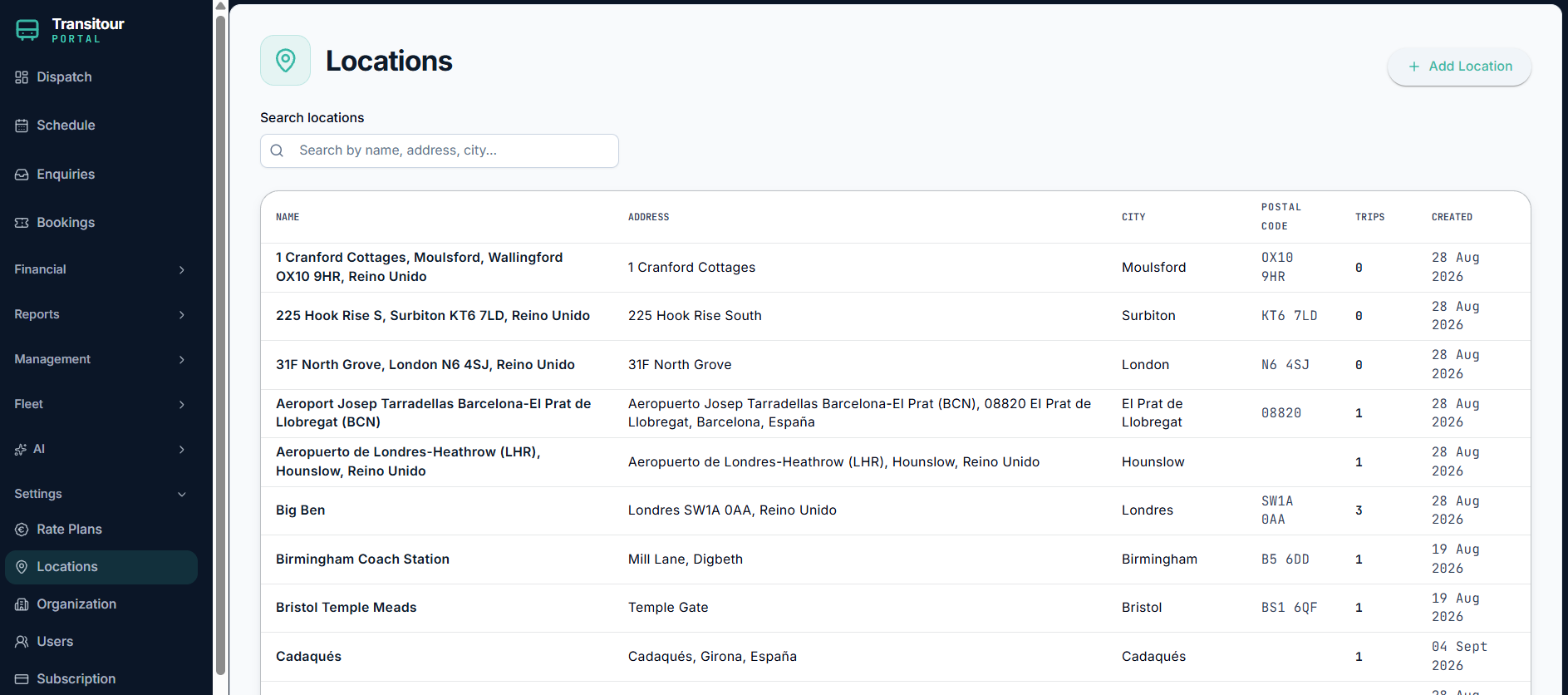
Save frequently used locations to simplify trip creation.
Configure your organisation
Under Organisation, you can review the main information associated with your company and configure the details that Transitour will use across the platform.
The setup area also includes billing information and operational settings, allowing you to adapt the account to the way your company works.
Manage your account and team
You can also review your account and subscription information and manage the team members who have access to Transitour.
Setting up these areas at the beginning gives your team a consistent starting point before moving on to bookings, dispatch, scheduling and the rest of your daily operations.
Ready to continue?
Once your account is configured, you are ready to start using Transitour for your day-to-day transport operations. Follow the next Transitour Guides to learn how to use each area of the platform step by step.
Want to explore Transitour with your own operation? Start using Transitour free for 7 days. Request your free trial